What Atpin Desktop is
Atpin Desktop is an optional app for Windows and Mac that some companies use to record work activity on work computers. Your company decides whether to use it. It records nothing until you read what it will capture and agree.
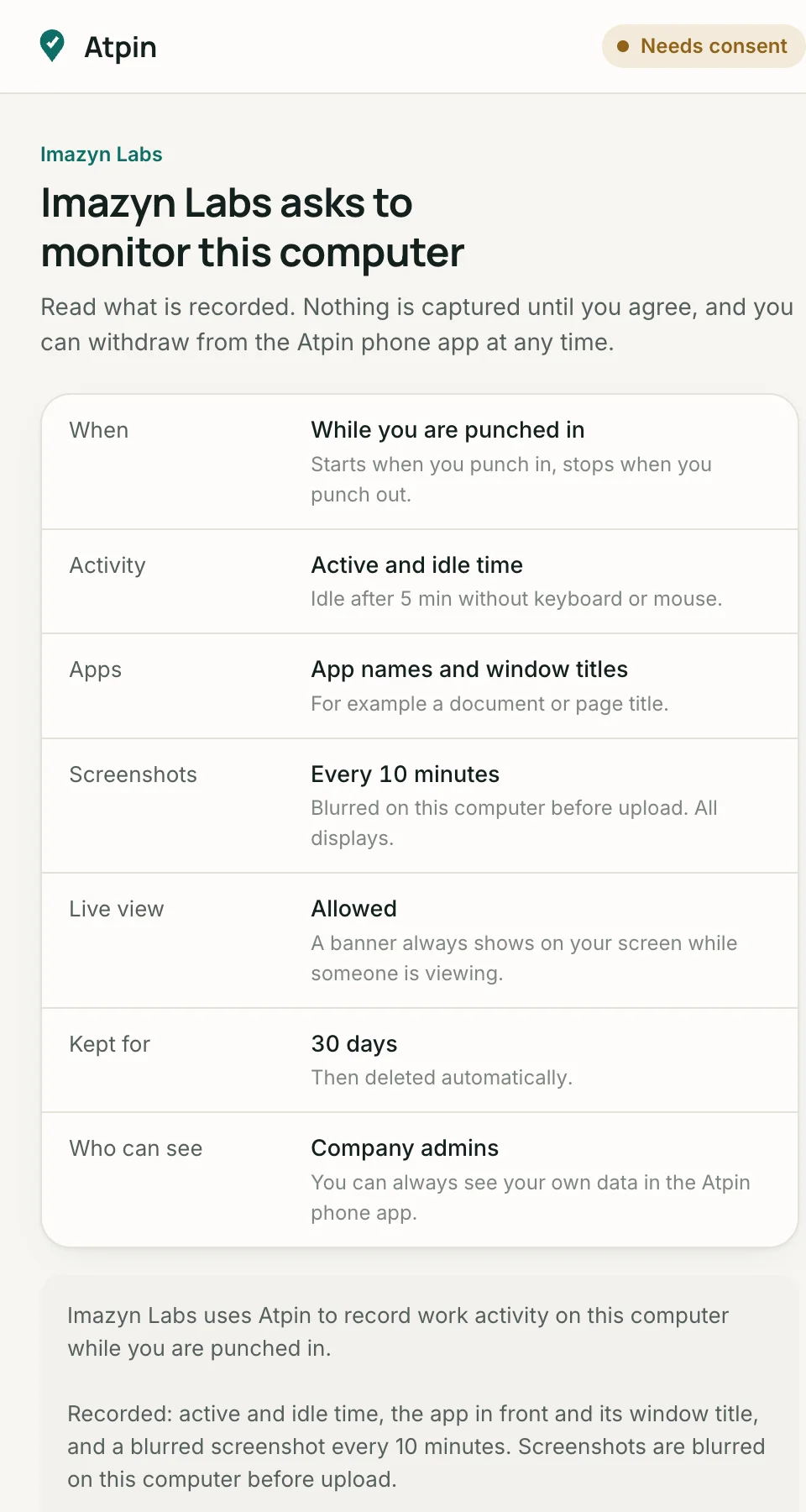
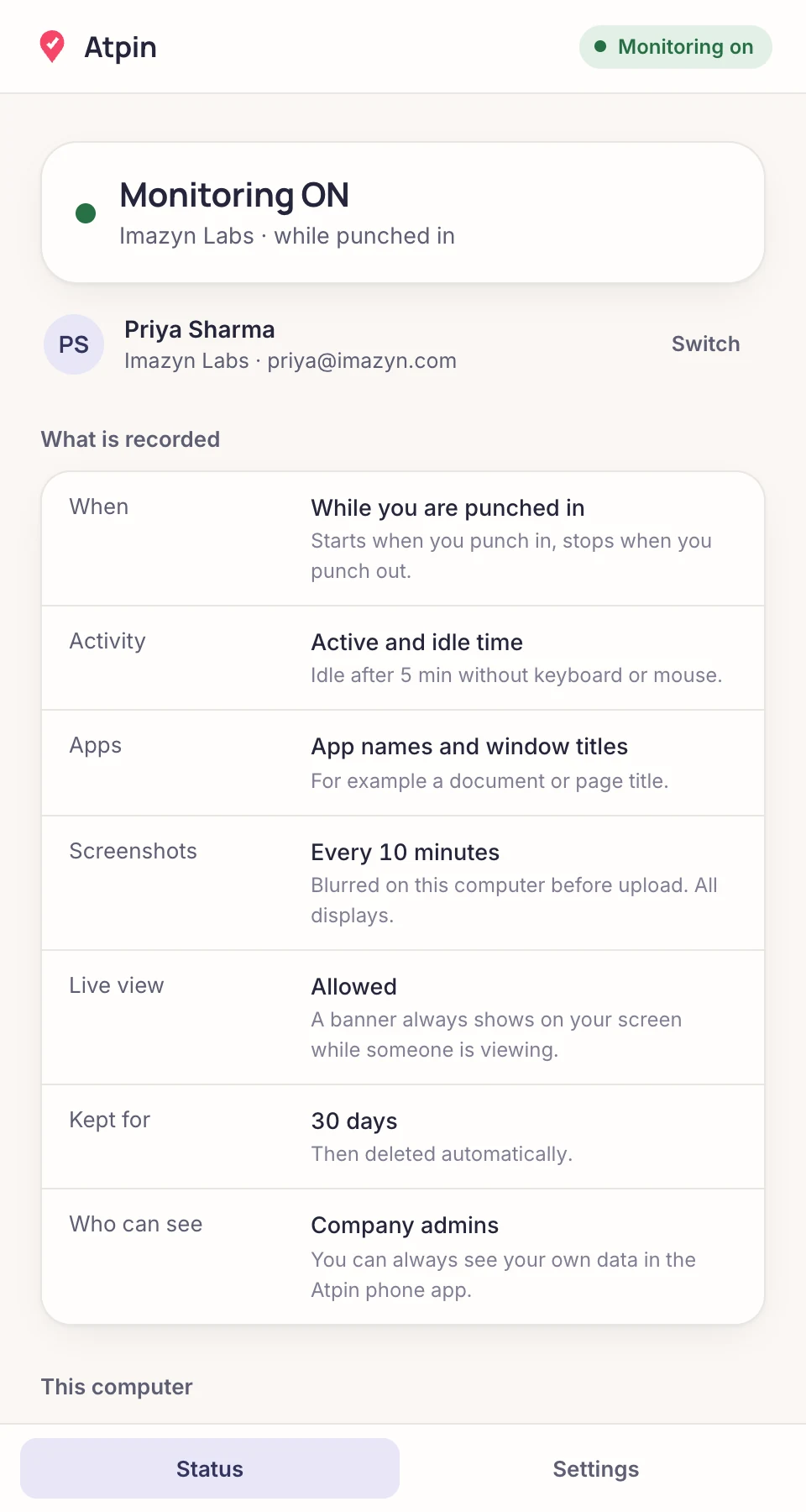
What it can record
| Item | Details | Your company can |
|---|---|---|
| When | While you are punched in, during your shift hours, or at all times. Shown on the consent screen. | Pick one, within its plan |
| Active and idle time | Whether the keyboard or mouse was used, measured in minutes. Not what you typed. | Set the idle threshold |
| Apps | The name of the app in front and, if enabled, its window title. | Turn titles off |
| Screenshots | A picture of the screen at the interval your company sets. If set to blurred, the image is blurred on your computer before upload, so clear pixels never leave it. | Set the interval, clear or blurred, or turn off |
| Live view | A near-live view of your screen. A banner on your screen names the viewer for as long as they watch. Frames are relayed, not stored. | Allow or block |
What it never records
- What you type, your passwords, your microphone, your webcam or audio.
- Anything before you consent, or after you withdraw consent.
- Anything outside the schedule shown on the consent screen.
How you always know
- A tray icon (menu bar on Mac) shows Monitoring ON with your company and the schedule. It cannot be hidden.
- A notice appears the first time recording starts.
- During live view this banner stays on your screen:

If your company changes the settings in a way that captures more, Atpin Desktop asks for your consent again before the new settings apply.
Who can see it
- Your company admins, and your managers if your company allows it. The consent screen tells you which.
- You. In the Atpin phone app open Profile, Computer monitoring, My activity to see your own timeline and screenshots.
- Every time someone views your screenshots or opens live view, it is written to an audit log.
How long it is kept
Activity and screenshots are deleted automatically after the retention period your company set, which the consent screen shows (30 days by default). Screenshots are stored privately on a server run for Atpin and opened only through links that expire within 5 minutes.
Your controls
- Withdraw consent at any time from the Atpin phone app, Profile, Computer monitoring. Recording stops.
- Unpair a computer from the same screen. Your admin can also revoke a computer.
- On a Mac, recording screenshots needs the Screen Recording permission, which you grant in System Settings.
- Questions about why your company monitors work computers go to your HR. Questions about Atpin go to imazynecom@gmail.com.
More detail is in the privacy policy.